>_ Welcome to the Lab
This entire website isn’t running on a generic cloud server in a massive data center. It’s hosted right here, physically running on the hardware sitting next to my desk. Building, breaking, and maintaining this lab is my ultimate hands-on classroom for networking, virtualisation, and system administration.
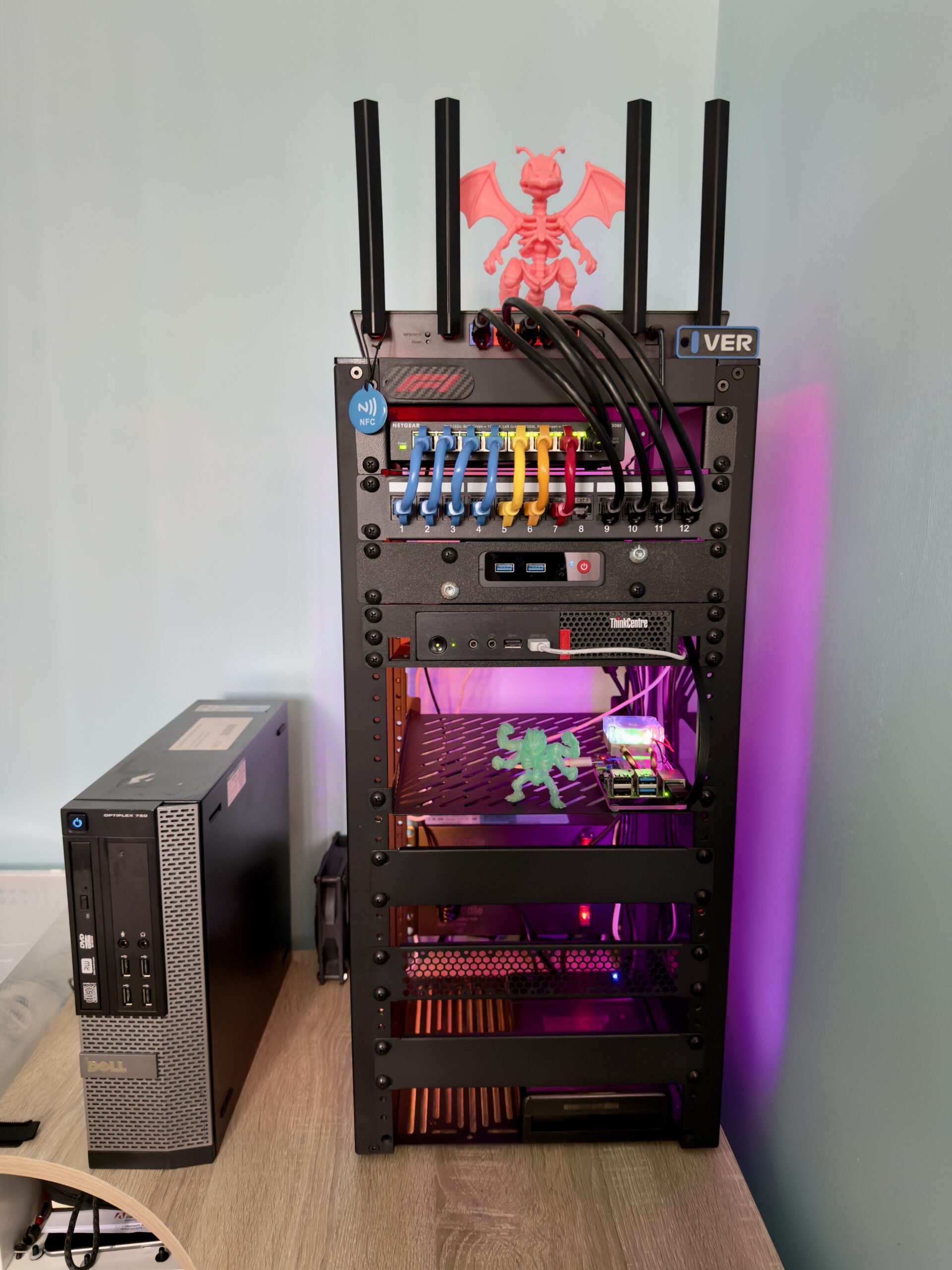
The Heavy Lifter
ThinkCentre M910q
Proxmox VE (i5, 16GB RAM)
Active Directory DC (Windows Server 2022)
Ubuntu Web Server (Hosting this site via Cloudpanel)
Navidrome (Self-hosted Spotify alternative)
PiHole & Unbound (Network-wide ad blocking)
The Test Bench
Beelink S12 Mini S
Proxmox VE (N100, 16GB RAM)
AD Client Lab (Win11 VMs for testing Group Policy)
Role-Based Testing (Admin, Staff, Finance profiles)
Rotating OS Testing (Previously ran Linux Mint for 1440p Minecraft Hosting)
The Gatekeeper
Raspberry Pi 4
Raspberry Pi OS (8GB RAM)
PatchMon Server (Centralised security patch management)
RustDesk Server (Self-hosted remote desktop access)
Tailscale Exit Node (Secure remote network access)
Network Infrastructure & Physical Security
Dedicated Homelab Subnet: A dedicated TP-Link router isolates the lab environment from the main household network, allowing for safe configuration and testing without taking down the house’s Wi-Fi.
Routing & Documentation: A NETGEAR Gigabit switch and numbered patch panel keep all nodes neatly connected. Every port mapping and device assignment is fully documented so I always know exactly what goes where.
Storage & Backups: Ugreen NAS with bi-directional Google Drive sync and an OpenMediaVault (OMV) server, actively building towards a strict 3-2-1 backup rule.
Physical Security: The Hyperbolic Lab is monitored 24/7 by a Eufy surveillance camera and fiercely protected from physical threats by two custom 3D-printed skeleton guards: Machamp and Dragonite. (Zero physical breaches to date).